
PMax Campaigns for B2B Lead Gen: The Structure, Signals, and QA Playbook That Actually Works
PMax campaigns without CRM-linked conversions produce MQL-to-SQL rates of just 3-5%, compared to 18-25% for properly configured Search campaigns (GrowthSpree, 2026). That’s not a small difference. That’s the difference between a pipeline full of junk and a pipeline full of deals.
I’ve lost count of how many B2B marketing directors have told me some version of “we tried PMax, and it flooded our CRM with garbage leads.” They’re not wrong. But they’re blaming the platform for what is fundamentally a playbook problem.
The issue isn’t Performance Max itself. Over 1 million advertisers now use PMax globally (Google, 2025), and for good reason – it works exceptionally well when configured correctly. The problem is that most B2B teams are running an e-commerce playbook for a fundamentally different buying cycle. They’re optimizing for form fills when they should be optimizing for pipeline. They’re treating audience signals like targeting restrictions when they’re actually just suggestions. And they have zero QA process to catch the inevitable drift.
We’ve made PMax work for B2B clients when others said it couldn’t. Not by following Google’s generic best practices, but by rebuilding the entire approach from scratch: different structure, different signals, different measurement, different governance.
This article gives you exactly that: the specific campaign structure that works for B2B, the signal configuration that prevents consumer traffic from eating your budget, and the QA cadence that catches problems before they waste thousands. Consider it the B2B PMax playbook we wish we’d had when we started.
Why Most B2B PMax Campaigns Fail (And Why Yours Probably Is Too)
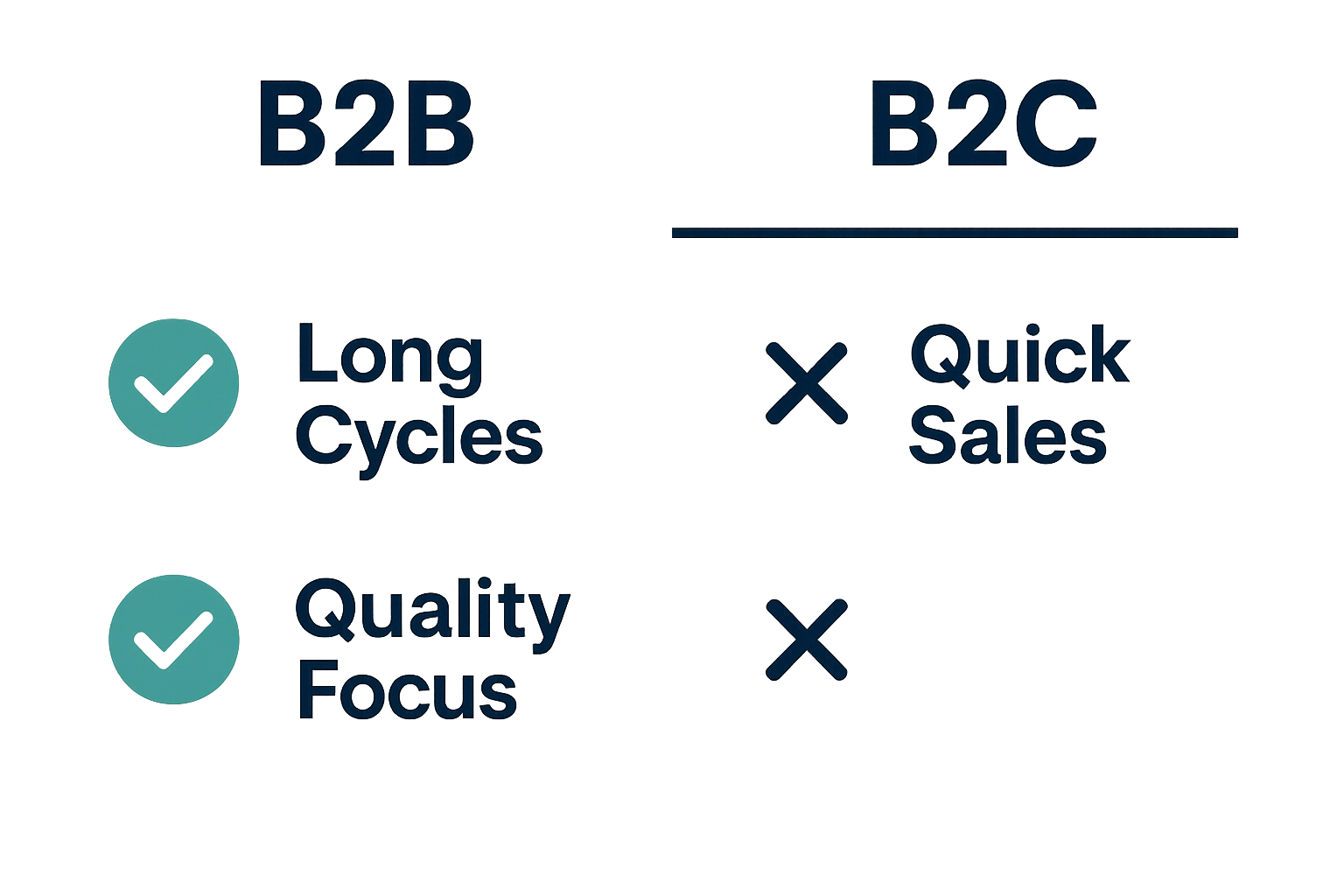 Let me be direct: if you’re running PMax for B2B lead generation and haven’t configured offline conversion tracking with CRM integration, you’re almost certainly wasting money. The platform isn’t broken – your setup is.
The E-Commerce Playbook Doesn’t Translate
PMax was built for e-commerce. The original use case was clear: someone sees a product, clicks, buys. The conversion signal is immediate and unambiguous. The product feed anchors the algorithm’s understanding of what you’re selling and who might want it.
B2B lead generation operates under completely different conditions. Your sales cycle is measured in weeks or months, not minutes. A form fill doesn’t equal revenue. It starts a qualification process that might take 90 days. And you don’t have a product feed to guide the algorithm.
Here’s where most B2B teams get burned: Google defaults to a 30-day conversion window. Most B2B sales cycles are 60-180 days. The algorithm literally cannot see the outcome it’s supposed to optimize for because the conversion happens after the attribution window closes.
The data backs this up. When search terms appear in both PMax and Search campaigns, Search has higher conversion rates 84% of the time (Adalysis, 2025). That’s not a minor performance gap – that’s PMax actively cannibalizing your best Search traffic and converting it worse.
The Audience Signal Misconception

This is the single biggest misunderstanding I see in B2B PMax accounts: teams think audience signals are targeting restrictions. They add “IT Decision Makers” or “Enterprise Software” as audience signals and assume PMax will only show to those audiences.
That’s not how it works. Audience signals are suggestions to Google’s algorithm, not restrictions. They tell Google “start here,” but the algorithm will absolutely expand beyond those signals if it thinks it can find conversions elsewhere.
The actual guardrails in PMax are conversion tracking and bid strategy, not audience signals. If you’re optimizing for form fills without qualification data, you’re telling Google to find people who fill out forms. Not people who become customers. Not people who match your ICP. Just people who fill out forms.
This is why B2B accounts running PMax end up with consumer traffic, student traffic, and competitor employees clicking their ads. The algorithm is doing exactly what you told it to do, it’s just not what you actually wanted.
The Missing Feedback Loop
Google’s algorithm optimizes for the conversion action you give it. Full stop.
If you optimize for form fills, you get more form fills – regardless of lead quality. If those form fills never become SQLs or opportunities, the algorithm doesn’t know and doesn’t care. It’s optimizing exactly as instructed.
This creates what I call the “feedback loop of doom”: PMax generates leads, sales rejects most of them, but PMax keeps finding more of the same low-quality leads because that’s the signal it’s trained on. Meanwhile, 73% of B2B leads aren’t sales-ready when first generated (DemandSage, 2025) – so even your good leads need nurturing before they’re qualified.
The fix isn’t to abandon PMax. The fix is to move your conversion signal downstream. When you optimize for sales-qualified leads or opportunities instead of raw form fills, PMax with proper configuration actually outperforms standard Search campaigns by 15-25% on cost per SQL (GrowthSpree, 2026).
But you have to give the algorithm the right signal first.
The B2B PMax Structure That Actually Works
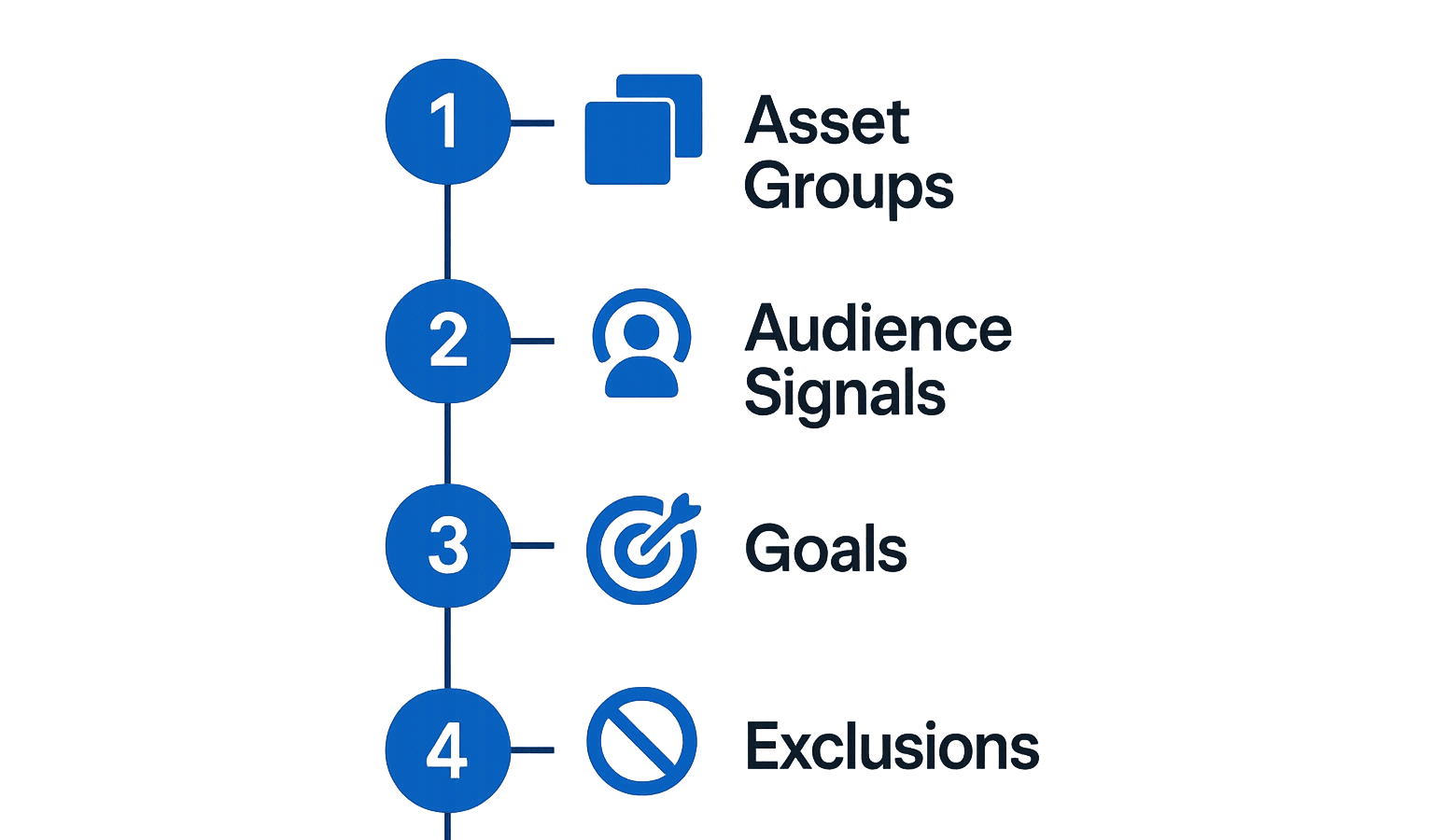
Most B2B teams either run PMax in isolation (mistake) or run it identically to Search (also a mistake). The structure that works is a hybrid model with distinct roles for each campaign type.
The Hybrid Model: Why 82% of Advertisers Use It
The data is clear: 82% of PMax advertisers follow a hybrid model structure with Brand Search, Non-brand Search, and PMax as distinct budget lines (Optmyzr, 2026). They’re not doing this by accident.
The hybrid model works because it assigns each campaign type a specific job:
– Brand Search protects your highest-intent traffic from cannibalization
– Non-brand Search captures demand you can control with keywords
– PMax expands reach to audiences and placements Search can’t reach
Without this structure, you get overlap chaos. In fact, 67% of PMax campaigns have search terms that overlap with Search campaigns (Adalysis, 2025). The hybrid model prevents that overlap from hurting you.
My rule at NAV43: I never launch PMax without established Search campaigns running first. PMax needs conversion data to learn from, and Search gives you that baseline. If you launch PMax cold with no conversion history, you’re asking the algorithm to optimize in the dark.
| Campaign Type | Budget Allocation | Role | Optimization Target |
|---|---|---|---|
| Brand Search | 15-20% | Protect branded traffic, highest intent | ROAS / SQL |
| Non-brand Search | 40-50% | Core lead gen, keyword control | Cost per SQL |
| PMax | 25-35% | Incremental reach, audience expansion | Cost per SQL (with offline tracking) |
| Demand Gen | 10-15% (optional) | Cold audience expansion | Engagement / MQL |
Adjustment triggers (our rule of thumb):</strong> If PMax CPL rises 20%+ above Search CPL without corresponding SQL improvement, reduce PMax budget allocation. When offline conversion data shows PMax SQL quality matching or exceeding Search, you can safely increase PMax share.
Asset Group Architecture for B2B Services
E-commerce accounts have product feeds to anchor their PMax campaigns. B2B services accounts have nothing – and this is where most teams fail.
The solution is to build asset groups that function like product categories in retail. One asset group per distinct buyer persona or use case, not one massive asset group trying to cover everything.
For each asset group, fill every available slot:
– Up to 15 headlines
-Up to 5 descriptions
– Up to 20 images
– Up to 5 videos
That last point isn’t optional. Campaigns with video assets see 20-30% higher conversion rates than those without (Google, 2026). Here’s my honest recommendation: if you don’t have video, don’t launch PMax. Seriously. Without video, the algorithm leans heavily on Display inventory, and Display is where B2B lead quality goes to die.
For a deeper dive into asset group architecture, see our complete guide to Performance Max Asset Group Strategy for Lead Generation.
Separate Campaigns for Separate Goals
Never mix optimization signals in one campaign. The algorithm cannot optimize for two contradictory definitions of “success.”
If you have both e-commerce and lead gen goals, run separate campaigns. If you have enterprise and SMB segments with different qualification criteria, run separate campaigns. If you’re targeting multiple geographies with different sales teams, consider separate campaigns for cleaner reporting.
This may feel like it adds complexity, but it actually reduces it. When something underperforms, you know exactly where to look. When you need to reallocate budget, you can move money between campaigns with different objectives without confusing the algorithm.
Signal Configuration: The Real Guardrails for B2B
Audience signals get all the attention, but they’re not your real guardrails. Conversion tracking and negative exclusions are what actually control PMax behavior for B2B.
Conversion Tracking That Reflects Your Sales Cycle
Google’s 90-day upload window is a hard constraint. If your sales cycle is longer than 90 days, you cannot directly import closed-won revenue as a conversion. It happens after the attribution window closes.
The solution is mid-funnel milestone tracking. Assign conversion values to each lifecycle stage to create a value-based bidding model that reflects your actual pipeline.
| Lifecycle Stage | Conversion Action | Suggested Value | Why This Value |
|---|---|---|---|
| Form Fill / MQL | Lead created | $1 | Prevents algorithm from over-optimizing here |
| Sales Accepted (SAL) | CRM stage change | $25 | First quality signal |
| Sales Qualified (SQL) | CRM stage change | $100 | Primary optimization target |
| Opportunity Created | CRM stage change | $250 | Pipeline indicator |
| Closed Won | Deal closed | Actual deal value or $1,000+ | Ultimate success metric |
These values are relative weights, not revenue. For a method that ties each value to your actual close rates and contract values, see our guide to value-based bidding in Google Ads. Avoid counting the same lead at every stage: set one stage as the primary bidding conversion, or upload later stages as adjustments to the original conversion value.
Enhanced Conversions for Leads is now Google’s recommended approach over legacy GCLID import. The setup path: Google Ads Data Manager → CRM integration (HubSpot or Salesforce) → stage-based conversion import.
The results speak for themselves: advertisers who used first-party data alongside GCLIDs for offline measurement saw a median 10% increase in conversions (Google, 2026). That’s not just better attribution – that’s better optimization.
For detailed implementation steps, see our guides on offline conversion tracking for Google Ads and HubSpot + Google Ads closed-loop reporting.
Conversion Window Settings B2B Teams Get Wrong
The default 30-day click-through window is wrong for most B2B. Period.
My recommendation: 90-day click-through, 30-day view-through for B2B with 60+ day sales cycles. If your sales cycle exceeds 90 days, mid-funnel milestone tracking is mandatory; the algorithm needs something to optimize for within the attribution window.
I’ve seen B2B accounts running 7-day conversion windows because someone copied an e-commerce setup guide. This is why you’re getting garbage leads. The algorithm sees a form fill within 7 days and calls it a win. It has no idea that lead sat in your CRM for 3 months before a sales rep finally rejected it.
Audience Signals: What They Actually Do
Let me repeat this because it’s critical: audience signals are suggestions, not restrictions. Google will use them as a starting point, then expand.
That said, some signals are stronger than others. First-party data signals through Customer Match are the strongest signals available:
Recommended signal stack for B2B:
1. Customer Match list of existing customers (tells Google “find more like these”)
2. Customer Match list of SQLs/Closed Won from past 12 months
3. CRM-synced remarketing audiences
4. Relevant in-market segments (use sparingly – these are broad)
Good news for smaller accounts: even modest CRM lists are useful as audience signals, because signals guide the algorithm rather than define who sees your ads.
What NOT to do: Rely solely on Google’s in-market or affinity audiences without first-party data anchoring. These audiences are too broad for most B2B use cases and will pull in consumer traffic.
Negative Signals and Exclusions (The Actual Guardrails)
Here’s the truth: your negative keyword and exclusion list is more important than your audience signal list. Signals tell Google where to look; exclusions tell it where not to waste your money.
URL exclusions to configure:
– Competitor sites
– Job boards and career sites
– Educational institutions (.edu domains)
– Coupon and deal sites
– Free tool directories
Placement exclusions to add:
– Mobile apps (almost always irrelevant for B2B)
– Parked domains
– Made-for-advertising sites
Brand exclusions in search themes:
– Competitor brand names (if you’re using search themes)
– Consumer-focused brands in your space
Geographic exclusions:
– Consumer-heavy regions if you’re enterprise-only
– Countries outside your serviceable market
Review your exclusion lists monthly. New placements and patterns emerge constantly.
The QA Cadence That Catches Problems Before They Waste Budget
PMax is not a “set it and forget it” campaign type. Without structured QA, drift happens, and drift burns budget.
The good news: PMax channel-level reporting now shows budget allocation across Search, Display, YouTube, Gmail, and more. What was previously a black box is now visible. You can see when something’s wrong.
Week-by-Week Monitoring Framework
Daily (first 2 weeks of new campaign):
– [ ] Check conversion volume – is it tracking?
– [ ] Monitor spend pacing against budget
– [ ] Review any brand safety alerts
Weekly (ongoing):
– [ ] Search term review via Insights tab – flag irrelevant queries
– [ ] Placement report review – add exclusions for low-quality placements
– [ ] Channel allocation check – is Display eating more than 30% of budget?
– [ ] Lead quality spot-check – are form fills from real companies?
– [ ] Asset performance review – pause “low” performing assets, add new variations
Bi-weekly:
– [ ] CRM cross-reference – compare PMax leads to Search leads by SQL conversion rate
– [ ] Cost per SQL calculation by campaign
– [ ] Budget reallocation review – should PMax get more or less?
Monthly:
– [ ] Full audience signal review – are first-party lists updated?
– [ ] Conversion lag analysis – are offline conversions importing correctly?
– [ ] Video asset refresh – are videos over 6 months old?
– [ ] Competitor audit – any new competitors to exclude?
What to Watch During the Learning Period
Google’s formal learning period for a new bid strategy is typically 1-2 weeks, but expect 8-10 weeks before you can fairly judge B2B PMax with offline conversions. The signals that matter, SQLs and opportunities, take that long to flow back.
Metrics to track during learning:
– Conversion volume (is it getting data?)
– Search impression share (is it competing effectively?)
– Asset performance signals (are any assets marked “low”?)
Metrics to ignore during learning:
– Raw cost per lead (meaningless until algorithm stabilizes)
– ROAS (irrelevant until offline data flows back)
Here’s my honest take: most B2B teams kill PMax after 3 weeks because CPL looks bad. Give it 8-10 weeks with proper offline tracking. If it’s still underperforming Search by then, reduce budget. But don’t kill it prematurely based on early CPL alone.
Red Flags That Require Immediate Action
Some signals demand immediate intervention, not wait-and-see:
Display allocation exceeds 40% of budget: Add placement exclusions immediately. Review your video assets. Weak or missing video pushes spend to Display. Display is where B2B lead quality goes to die.
MQL volume spikes but SQL rate drops: Your conversion tracking is misconfigured, or your audience signals are too broad. Check enhanced conversions setup. Review first-party data list freshness.
Search terms show consumer or student queries: Add negative keywords immediately. Review URL exclusions – you may be appearing on sites that attract the wrong audience.
CRM shows zero offline conversions being imported: Pause the campaign. Fix your integration before continuing. Running PMax without offline signal is worse than not running it at all.
For a comprehensive setup and exclusions reference, see our PMax Lead Gen Checklist.
Should You Use PMax or AI Max for Search?
PMax isn’t your only option anymore. AI Max for Search launched in 2025 as a B2B-friendly alternative, and it’s worth understanding when each makes sense.
The Case for AI Max for Search in B2B
AI Max for Search runs only on the Search network. No Display, no YouTube, no Gmail inventory. For B2B teams burned by PMax Display spend, this is the safer entry point.
AI Max captures conversational and long-tail queries through query expansion without cross-channel spend. It’s essentially Google’s AI-powered Search upgrade – better query matching without the channel risk.
The numbers are solid: AI Max for Search campaigns see an average 7% more conversions at similar CPA when using the full feature suite (Google, 2026). Google is migrating Dynamic Search Ads campaigns to AI Max in 2026.
When PMax Still Makes Sense for B2B
PMax isn’t dead for B2B. It still makes sense when:
- You have strong video assets and want YouTube reach
- Your remarketing audiences are large enough to justify cross-channel expansion
- Your offline conversion tracking is fully configured and producing reliable SQL data
- Your Search campaigns are already maxed out on impression share
If you’re hitting 90%+ impression share on non-brand Search and have budget to invest, PMax becomes the expansion channel. But only if your foundation is solid.
Decision Framework
| Factor | Choose PMax | Choose AI Max for Search |
|---|---|---|
| Video assets | Have 5+ quality videos | No video or weak video |
| Conversion tracking | Full offline tracking configured | Form fills only or limited CRM integration |
| Risk tolerance | Willing to accept Display/YouTube spend | Want Search-only exposure |
| Budget | $10K+/month for PMax alone | Smaller budgets, tighter control needed |
| Sales cycle | <90 days with mid-funnel tracking | Any length (simpler setup) |
| Current Search performance | Maxed out impression share | Room to grow on Search |
My recommendation for most B2B accounts: start with AI Max for Search. Move to PMax only when you have offline conversion tracking, video assets, and Search campaigns hitting impression share ceiling.
For a deeper comparison of campaign types, see our guide on Search vs Performance Max for Lead Gen.
Answering the Questions Everyone’s Asking
How Many PMax Campaigns Should You Have?
One campaign per distinct goal or objective. Not one campaign per product, not one campaign per audience – one campaign per definition of success.
When to run multiple campaigns:
– Enterprise and SMB segments with different qualification criteria: two campaigns
– Multiple service lines with different buyer personas: one campaign per service line
– Multiple geographies with different sales teams: consider separate campaigns for cleaner reporting
General rule for B2B: Fewer campaigns with tighter structure beats many campaigns with scattered focus. Most B2B accounts need 1-3 PMax campaigns maximum.
Are PMax Campaigns Worth It for B2B?
Yes, but only if:
– Offline conversion tracking is configured and importing SQL/Opportunity data
– You have a hybrid model with Search campaigns protecting high-intent traffic
– You’ve built a proper QA cadence to catch drift early
– You have video assets for the algorithm to optimize
PMax with proper configuration outperforms Search by 15-25% on cost per SQL (GrowthSpree, 2026) – but “proper configuration” is doing a lot of work in that sentence.
My honest take: if you don’t have offline conversion tracking, don’t run PMax for B2B. You’ll optimize for garbage leads and blame the platform for a configuration problem.
For scenarios where PMax isn’t the right choice, see When Not to Use Performance Max for Lead Generation.
Is YouTube Part of PMax?
Yes. PMax serves across Search, Display, YouTube, Gmail, Discover, and Maps. You cannot opt out of individual channels.
This is why video assets are critical – without video, PMax leans on Display, which produces lower-quality B2B leads. The new channel-level reporting (2025-2026) lets you see allocation across channels. Use this to monitor YouTube vs Display balance.
If Display takes more than 30% of your budget, check your video assets and exclusion lists. Above 40%, act immediately.
What Do PMax Ads Look Like for B2B?
PMax ads are assembled dynamically from your asset group. Google combines your headlines, descriptions, images, and videos into responsive formats across all channels.
This means you’re not creating specific ad units – you’re providing building blocks. The algorithm assembles the creative based on placement and predicted performance.
For B2B, your assets should:
– Lead with problem/outcome headlines, not feature lists
– Include professional imagery (real office environments, not stock photos)
– Feature video that demonstrates expertise or shows customer results
– Use descriptions that speak to business outcomes, not consumer benefits
The same assets appear across Search, Display, and YouTube, so they need to work in multiple contexts.
The Playbook That Changes Everything
Here’s the truth about PMax for B2B: the platform works. The problem is that most B2B teams are using it wrong.
They’re optimizing for form fills instead of pipeline. They’re treating audience signals like targeting restrictions. They’re running e-commerce playbooks for 90-day sales cycles. And they have no QA process to catch the inevitable drift.
The teams that make PMax work – and we’ve done this with multiple clients – follow a completely different playbook:
Key Takeaways:
– Structure matters: Run PMax as part of a hybrid model with Brand Search and Non-brand Search protecting your highest-intent traffic
– Offline conversion tracking is mandatory: Without CRM-linked conversion data (SQL, Opportunity, Closed Won), you’re optimizing for the wrong signal
– Audience signals are suggestions, not guardrails: Your real guardrails are conversion tracking, bid strategy, and negative exclusions
– Video assets aren’t optional: Without video, PMax leans on Display inventory, which kills B2B lead quality
– QA cadence is what separates success from failure: Weekly monitoring, bi-weekly CRM cross-reference, monthly full audits
What to Do Next
- Audit your current setup against this playbook. If you’re missing offline conversion tracking, stop running PMax until it’s configured.
- Build your hybrid model if you haven’t already. Establish Search baseline performance before adding PMax budget.
- Create video assets if you don’t have them. Even simple talking-head videos or animated explainers will prevent Display from eating your budget.
- Implement the QA cadence from this article. Print the checklist. Put it in your calendar. Actually do it weekly.
- Set realistic expectations for the learning period. Eight to ten weeks for B2B with offline tracking. Don’t kill the campaign after three weeks based on early CPL.
If you want expert eyes on your PMax setup, or you’re not sure whether PMax fits your B2B lead gen strategy, request a free growth plan from NAV43. We’ll audit your current campaigns, identify the gaps, and give you a specific roadmap for what to fix.
The B2B companies winning with PMax in 2026 aren’t using magic. They’re using the right playbook. Now you have it, too.
